If you are a Bihar Government employee and want to download your HRMS Bihar salary slip, you no longer need to visit your office or accounts department. The Human Resource Management System (HRMS) introduced by the Government of Bihar allows employees to access their monthly salary slips, annual income statements, service book, leave records, and other employment-related information online.
In this guide, you’ll learn everything about the HRMS Bihar Salary Slip, including the login process, download steps, eligibility, features, troubleshooting tips, and frequently asked questions.
What is HRMS Bihar?
HRMS (Human Resource Management System) is the official employee management portal developed by the Government of Bihar. The portal digitizes employee records and payroll services, making it easier for government employees to manage their employment details online.
The platform provides secure access to various HR services, including:
- Monthly salary slips
- Annual salary statements
- Service book
- Leave management
- Personal information updates
- Loan details
- Employee profile
- Notifications and approvals
The portal supports login through both Username & Password and OTP authentication, making it convenient for employees to securely access their accounts.
HRMS Bihar Salary Slip Overview
| Particular | Details |
|---|---|
| Portal Name | HRMS Bihar |
| Department | Government of Bihar |
| Service | Online Salary Slip Download |
| Beneficiaries | Bihar Government Employees |
| Login Method | Username & Password / OTP |
| Salary Slip Format | |
| Additional Services | Leave, Service Book, Income Statement, Personal Details |
| Mobile App | Available for Android |
Who Can Download HRMS Bihar Salary Slip?
The salary slip facility is available for eligible Bihar Government employees whose records have been updated in the HRMS portal.
Generally, eligible users include:
- State Government employees
- School teachers
- Department employees
- Treasury-linked staff
- Employees registered under HRMS
Employees can access their salary slips only after their HRMS account has been activated by the concerned department.
How to Login to HRMS Bihar?
Follow these simple steps to access your employee account.
Step 1
Open the official HRMS Bihar portal.
Step 2
Choose your preferred login method:
- Username and Password
- OTP Login
Step 3
Enter your login credentials.
Step 4
Complete the verification process.
Step 5
Click on the Login button.
After successful login, your employee dashboard will appear.
How to Download HRMS Bihar Salary Slip
Downloading your monthly salary slip is quick and easy.
Step 1
Log in to your HRMS account.
Step 2
Go to the employee dashboard.
Step 3
Open the Payroll or Salary section.
Step 4
Select the required:
- Financial Year
- Salary Month
Step 5
Click on Search.
Step 6
Your salary slip will be displayed on the screen.
Step 7
Click Download PDF or Print to save the salary slip for future use.
Information Available in HRMS Bihar Salary Slip
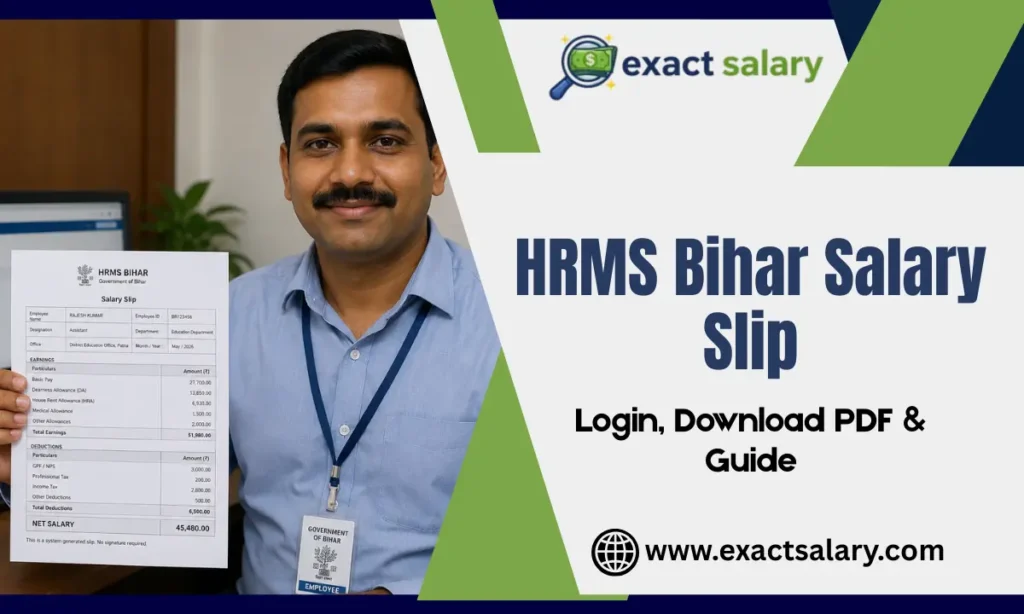
A typical HRMS Bihar salary slip contains the following details:
- Employee Name
- Employee Code
- Designation
- Department
- Office Name
- Bank Details
- Basic Pay
- Grade Pay (where applicable)
- Dearness Allowance (DA)
- House Rent Allowance (HRA)
- Medical Allowance
- Other Allowances
- GPF/NPS Details
- Professional Tax
- Income Tax
- Loan Recovery
- Other Deductions
- Gross Salary
- Total Deductions
- Net Salary
- Salary Month
- Financial Year
Benefits of HRMS Bihar Salary Slip
The HRMS Bihar portal offers several benefits to government employees.
1. Anytime Access
Employees can access salary slips anytime and from anywhere.
2. Paperless Process
There is no need to collect printed salary statements from the office.
3. Instant Download
Salary slips can be downloaded instantly in PDF format.
4. Secure Employee Login
The portal protects employee information through secure login methods.
5. Annual Income Statement
Employees can easily access yearly salary details for tax filing and financial planning.
6. Complete Payroll History
The system stores previous salary slips, making it easy to retrieve older records whenever required.
HRMS Bihar Mobile App
The Government of Bihar also provides an Android mobile application for HRMS services.
Using the app, employees can:
- View salary slips
- Download annual income statements
- Check service book
- Apply for leave
- Update personal details
- Receive important notifications
The mobile app offers convenient access to employee services directly from a smartphone.
Other Services Available on HRMS Bihar
Besides salary slips, the HRMS portal provides several employee-related services.
These include:
- Employee Profile
- Leave Application
- Leave Balance
- Service Book
- Annual Income Statement
- Personal Information Update
- Family Details
- Nominee Details
- Loan Information
- Transfer Details
- Notifications
- Grievance Support
HRMS Bihar Login Problems and Solutions
Employees may occasionally experience login issues. Here are some common problems and their solutions.
Forgot Password
Use the Forgot Password option available on the login page to reset your password.
Forgot Username
Choose the Forgot Username option and complete the verification process.
OTP Not Received
Wait a few minutes and request a new OTP if necessary.
Invalid Credentials
Double-check your username and password before logging in.
Account Not Activated
Contact your department administrator to activate your HRMS account.
Server Error
Try again after some time or clear your browser cache before logging in again.
HRMS Bihar Help Desk
If you are unable to access your account or download your salary slip, you can contact the HRMS Bihar Help Desk.
The support team assists employees with:
- Login issues
- Password reset
- Salary slip download problems
- Employee verification
- Technical support
Support is generally available during official working hours.
Uses of HRMS Bihar Salary Slip
Your salary slip is an important financial document and can be used for:
- Bank loan applications
- Home loan processing
- Income Tax filing
- Visa applications
- Government verification
- Salary proof
- Employment verification
- Financial planning
Tips for Safe HRMS Login
To keep your HRMS account secure, follow these safety tips:
- Never share your password with anyone.
- Change your password regularly.
- Always log out after using the portal.
- Avoid logging in from public computers.
- Keep your registered mobile number updated.
Why HRMS Bihar Salary Slip is Important?
A salary slip is more than just a monthly payment record. It serves as official proof of income and helps employees verify salary credits, deductions, tax calculations, and employment details. Since all payroll information is stored digitally, employees can access previous salary slips whenever needed without depending on manual office records.
Conclusion
The HRMS Bihar Salary Slip portal has simplified payroll management for Bihar Government employees by providing secure online access to salary records and other HR services. Whether you need a monthly salary slip, annual income statement, or service book, the portal allows you to access these documents anytime using your employee credentials. Employees should keep their login information secure and regularly check the portal for salary updates, leave records, and important departmental notifications.
FAQs
Can I download my salary slip in PDF format?
Yes. Employees can download their monthly salary slips in PDF format.
Can I access previous months’ salary slips?
Yes. The portal allows employees to view and download salary slips from previous months and financial years.
Is there an HRMS Bihar mobile app?
Yes. An Android application is available that provides access to salary slips, leave records, service books, and other employee services.
What should I do if I forget my HRMS password?
Use the Forgot Password option on the login page or contact your department administrator for assistance.
Also, Read About: Manoj Tumu Amazon Salary | ESI Salary Slip | Zing HR Salary Slip | Cyber Security Salary